Installation Guide (Shibari Edition)
🚨 Obsolete solution 🚨
DsHidMini (official successor) has been released, please use that instead! This article will remain online for historic reasons but use is discouraged as no more updates will follow!
What is this?
Ever wanted to use those pesky, outdated yet lovely game controller devices shipped with your PlayStation® 3 on Windows without constantly tripping over wires? Well, fear no more—you have come to the right place. This guide covers the software you need, and it will only cost you a few minutes of your time.
BthPS3 emerged from research and development by Nefarius, known for building software that is not always obvious to install or remove.
If that sounds useful, read on.
What do you need?
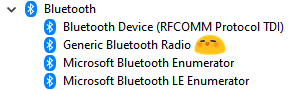
You need Windows 10 (or later) and a Bluetooth USB device or integrated card (e.g. in a laptop) running stock drivers—no ScpToolkit, no AirBender. (You will install BthPS3 and related components as described below.)
How to install
Download setup for Windows 10
- Download and run the BthPS3 setup. Follow the installer; it will guide you through the steps.
- Plug in your Bluetooth dongle now if you have not already.
- If you have an integrated Bluetooth card (e.g. in a laptop), make sure it is turned on before continuing.
If Bluetooth is not available or not on, the setup will fail. Ensure the Bluetooth radio is present and enabled, then run the setup again.
What to do next
After BthPS3 is installed, you need Shibari and a few other components.
Get the files
Download and extract the following somewhere on your PC:
- Shibari: Latest
Shibari.zipfrom the build server (pick the highest version number). Shibari acts as the middle layer between the drivers and your applications. - FireShock: Latest
FireShock.zipfrom here. Required for USB connection and automatic pairing. - ViGEm Bus Driver: Latest release from GitHub. Required so the devices can be presented as Xbox 360 or DualShock 4 controllers to games.
Install the drivers
- Extract the FireShock archive and run the included
dpinstordpinst64to install the USB driver. - Run the ViGEm Bus Driver installer and complete the setup.
Run Shibari
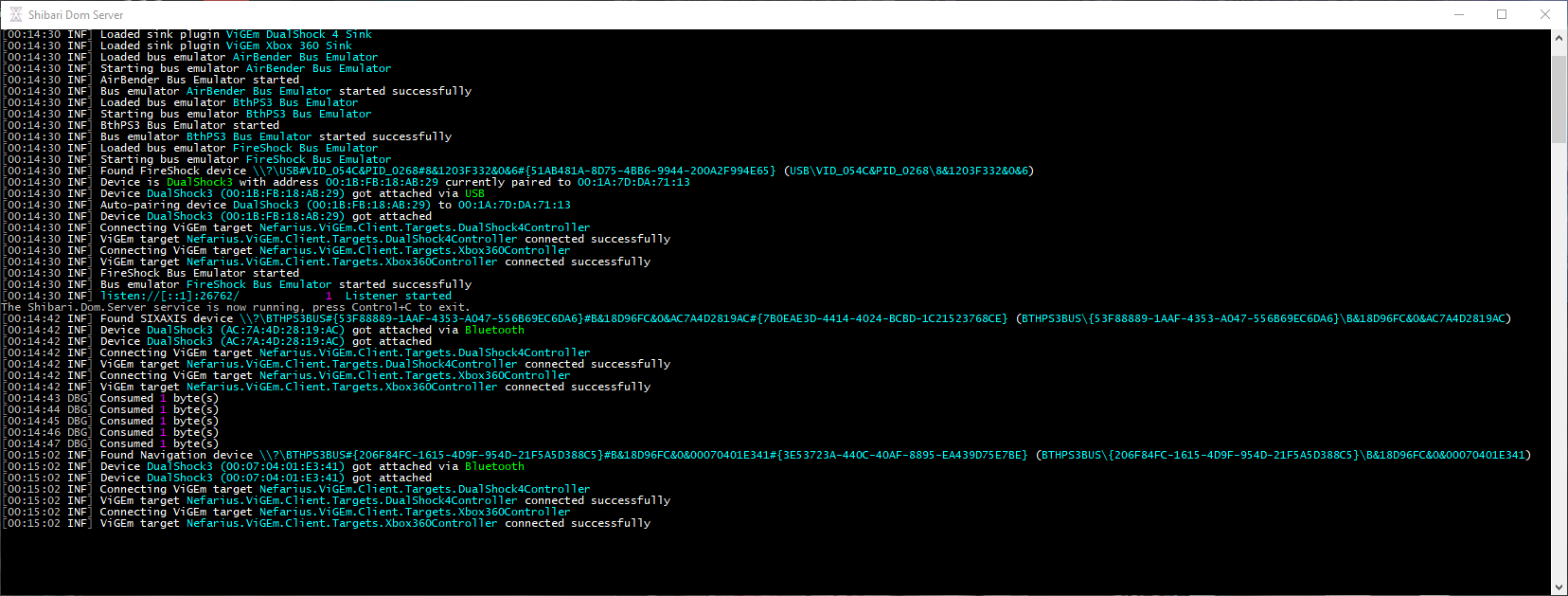
Extract the Shibari archive and open the resulting folder. Run Shibari.Dom.Server.exe. Your connected DS3 should then appear as a virtual Xbox 360 and DualShock 4 controller in games. Keep Shibari running for everything to work. The FAQ below explains how to run it as a Windows service so you do not have to start it manually each time.
FAQ
Is this official Sony software?
No. This is a community project, not affiliated with Sony. It started as a research project and was developed into something usable for gamers.
Does BthPS3 phone home?
No. Earlier versions included an updater that checked for updates; that was removed in BthPS3 v1.3.x. BthPS3 does not send data to external servers.
Why only Windows 10 and later?
Driver signing and testing across multiple Windows versions is complex. Support was limited to Windows 10 and later to keep the project maintainable. As of this commit, Windows 7 is no longer supported due to a dependency that does not exist on older Windows versions.
Do I still need Shibari?
No. Use DsHidMini instead—it replaces Shibari and FireShock and does not require a separate server process.
How do I get pressure-sensitive buttons in PCSX2?
DsHidMini supports that; Shibari/FireShock do not.
Can I use motion controls?
Motion support is out of scope for this (obsolete) stack. Use DsHidMini for motion and other advanced features.
I want a battery indicator / quick disconnect / other SCP-like features
DsHidMini provides those features. This Shibari-based setup does not.
I sometimes need to power on the controller twice before it stays connected
That is due to how connection state is stored in the Microsoft Bluetooth stack when the driver attaches. The workaround is to turn the controller on again.
The setup version does not match the driver version
That is intentional. The installer (setup) is updated separately from the driver; not every installer change requires new driver binaries.
I want DualShock 4 emulation, not Xbox 360
Open settings.json in your Shibari folder and see the comments in the "sinks" section to configure the output device type.
My DS3 no longer works in PS Now
FireShock and Sony’s official sixaxis driver used by PS Now cannot both be active. If you need USB support for PS Now, uninstall FireShock. For a solution that can coexist with PS Now, use DsHidMini instead.

My DS4 will not connect anymore
With BthPS3 installed, reconnecting a DS4 often requires two attempts: turn the DS4 on, let it turn off after a second or two, then within about 10 seconds turn it on again. It should then connect. For full details, see the DualShock 4 FAQ.
How do I keep Shibari running in the background?
You can install Shibari as a Windows service so it runs without keeping a window open.
- Open PowerShell as Administrator.
- Go to the folder where you extracted Shibari and run:
.\Shibari.Dom.Server.exe install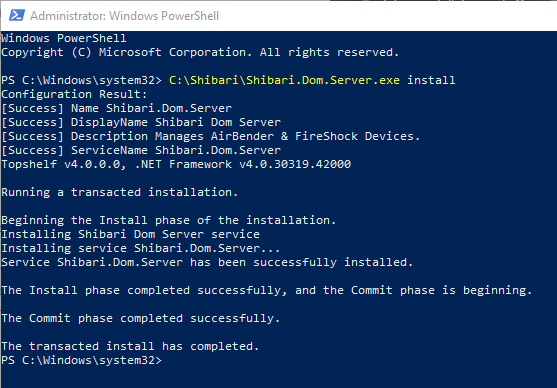
- Start the service:
Start-Service Shibari.Dom.Server - Confirm it is running:
Get-Service Shibari.Dom.Server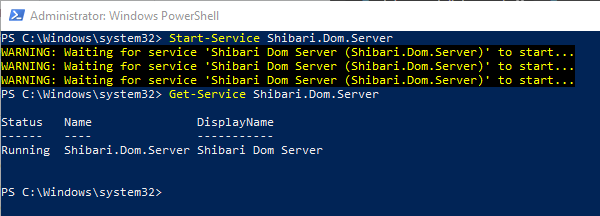
My controller randomly presses buttons or the sticks jitter
This is not a software bug. Erratic input usually comes from the controller hardware—faulty parts, wear, or damage. Try another controller or USB cable. Third-party or counterfeit controllers are also more likely to misbehave; genuine or higher-quality hardware tends to be more reliable.
Copyright (C) 2018-2021 - Nefarius Software Solutions e.U.
This is a community project and not affiliated with Sony Interactive Entertainment Inc. in any way.
"PlayStation", "PSP", "PS2", "PS one", "DUALSHOCK" and "SIXAXIS" are registered trademarks of Sony Interactive Entertainment Inc.